Access Your Product
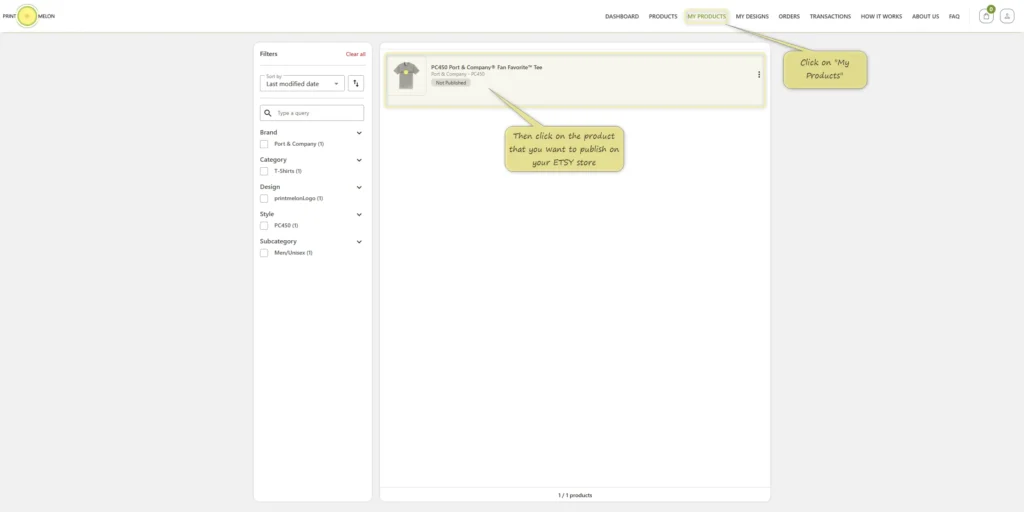
Click “My Products” from the top menu.
Find the product you want to publish.
Click on the product you want to send to your Etsy store.
Create a Publish Profile
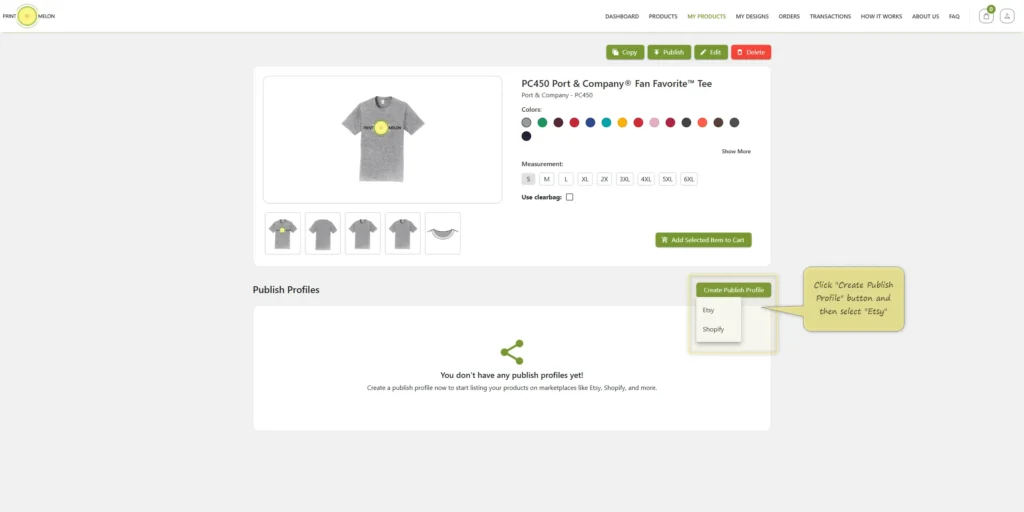
On the product page, click “Create Publish Profile”.
Select “Etsy” from the dropdown.
Fill in Publish Profile Details
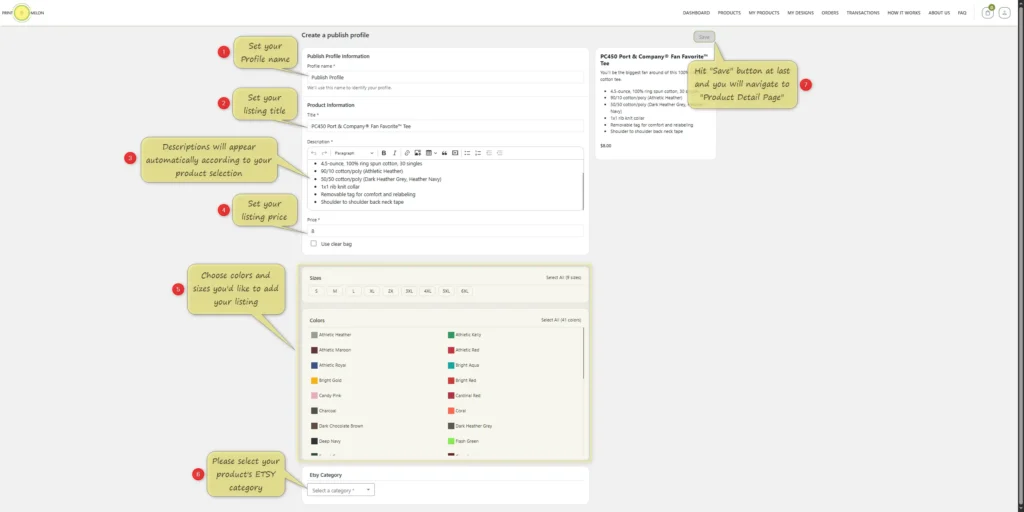
Profile Name: Set a name to easily identify this publish profile.
Title: Set your Etsy listing title.
Description: The description will auto-fill based on the product. But feel free to change it if you would like to!
Price: Set your selling price.
Sizes and Colors: Choose which ones to offer.
Etsy Category: Select the correct category for your product.
After filling out the information, click “Save”.
Publish Your Product
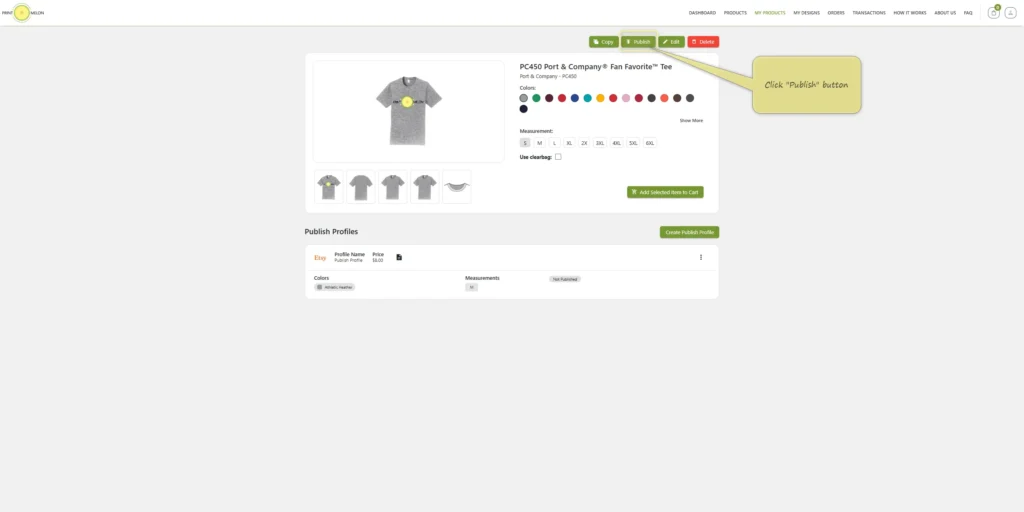
After saving, you’ll return to the product page.
Click the “Publish” button at the top.
Add a Destination
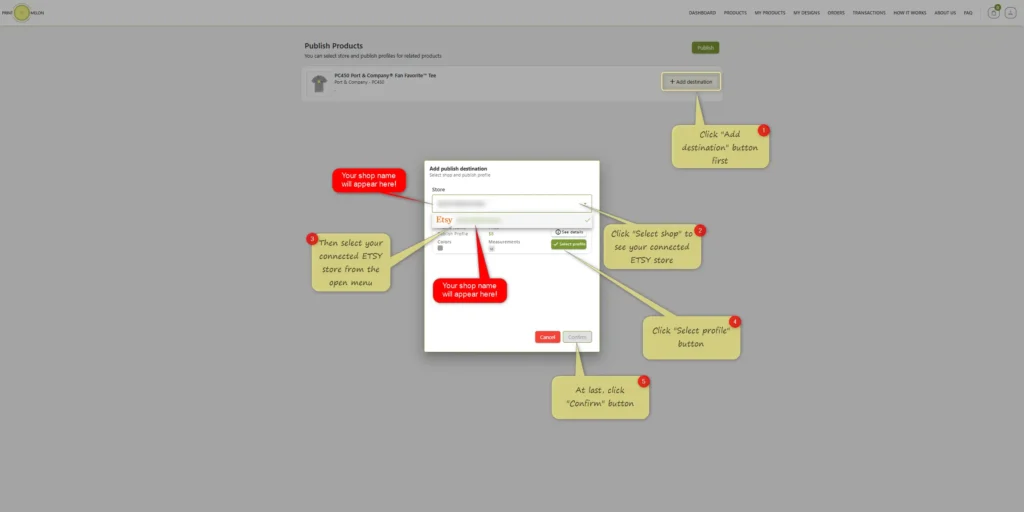
Click “Add Destination”.
Select your connected Etsy shop from the dropdown.
Click “Select Profile” to match your publish profile.
Finally, click “Confirm”.
Final Publish
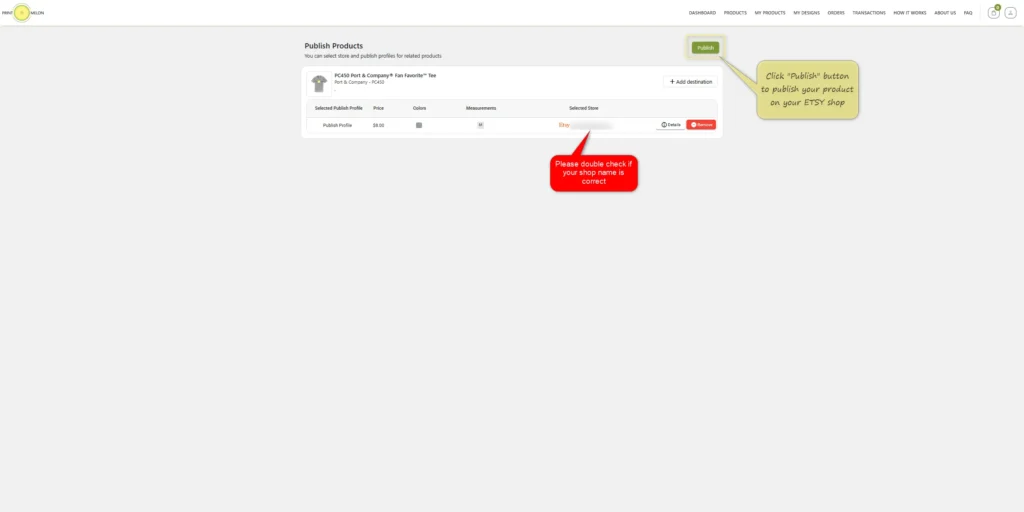
After confirming, double-check that your shop name is correct.
Click “Publish” again to send your product to Etsy.
Publishing in Progress
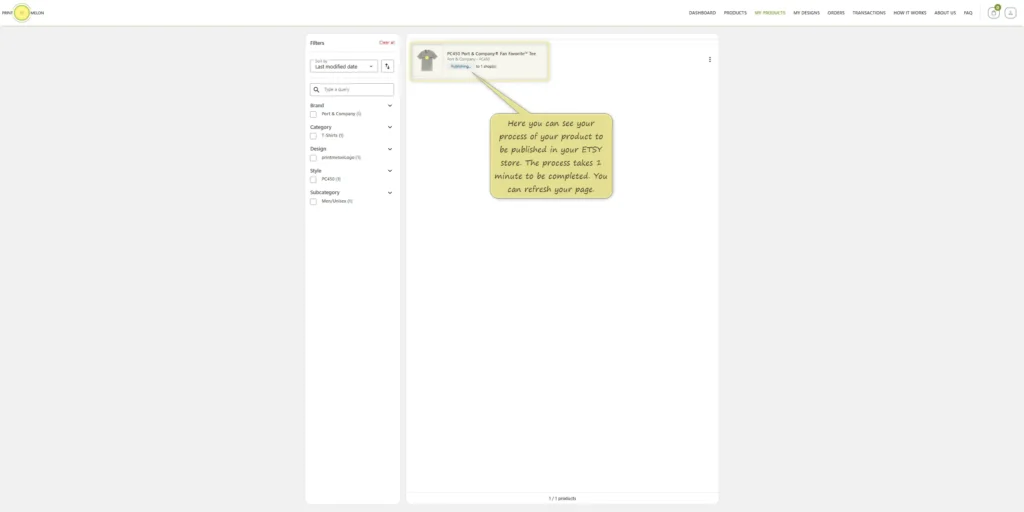
You’ll see the status as “Publishing”.
Wait about 1 minute for the product to appear in your Etsy Draft Listings.
You can refresh the page to see the updated status.
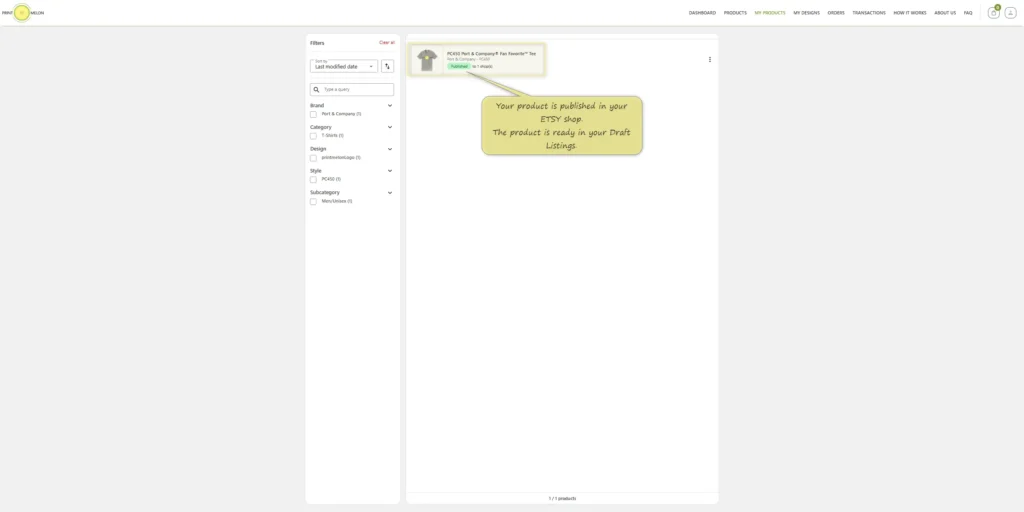
Published!
Once published, the product will be available in your Etsy Draft Listings.
You can edit and activate it from your Etsy shop.