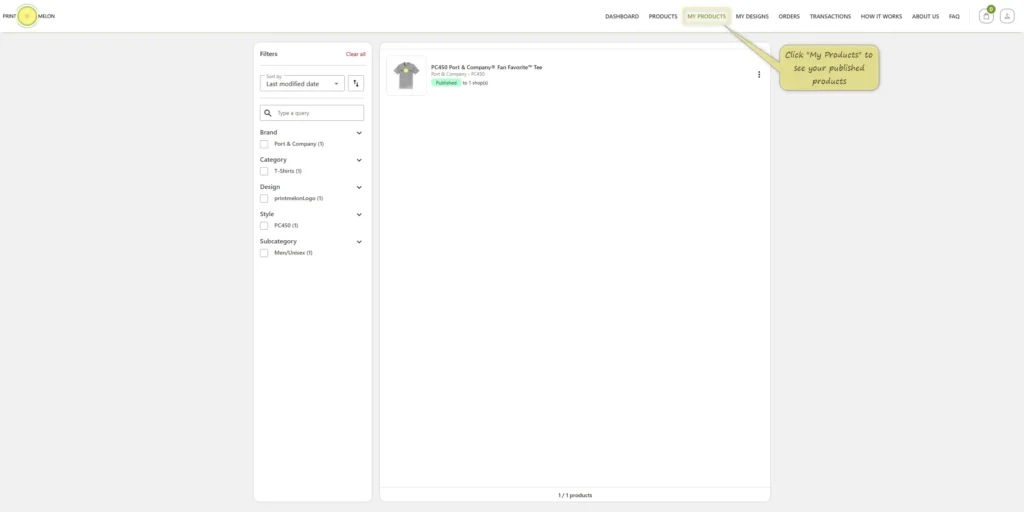
Open “My Products” Page
Click “My Products” from the top menu to see all your published products.
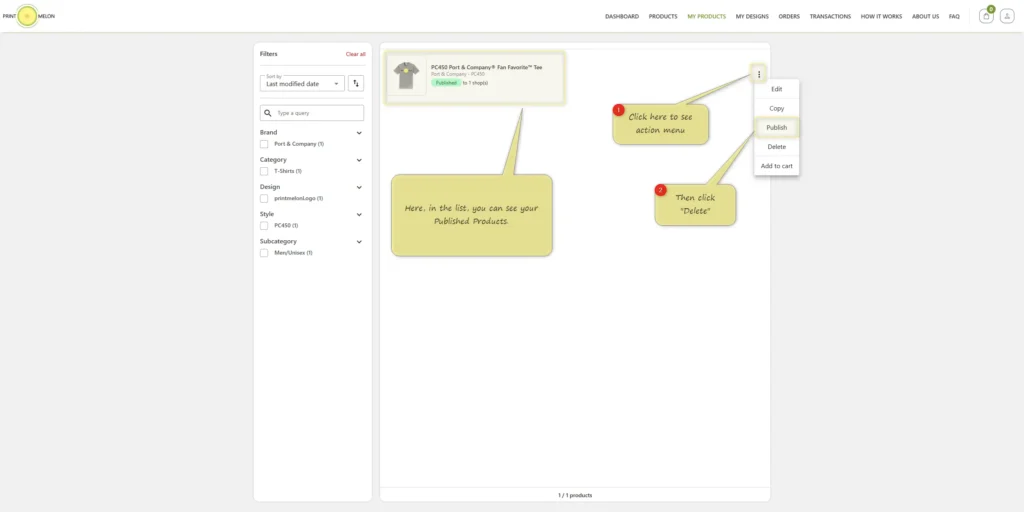
Open the Action Menu
Find the product you want to delete, click the three dots (⋮) next to it, and select “Delete” from the dropdown.
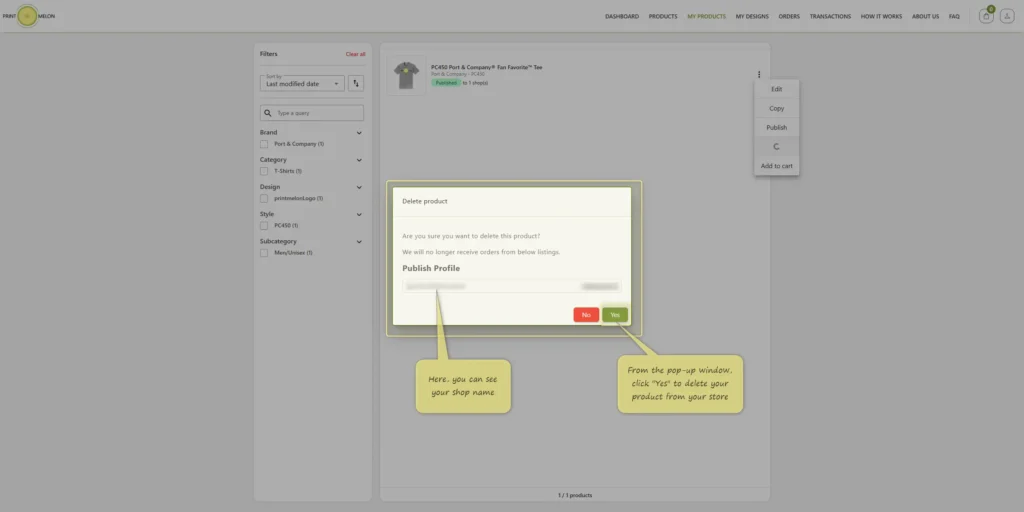
Confirm Product Deletion
When the confirmation pop-up appears, click “Yes” to delete the product from your store.