Publish your product to Etsy without missing a step
A visual, step-by-step publishing page built from the PrintMelon help guide. It walks users from choosing a product to seeing the item in Etsy Draft Listings.
01
Select Products
My Products
02
Create Profile
Etsy Profile
03
Add Destination
Connected Shop
04
Publish
On Etsy
Total 8 Steps
From product selection to publishe status
Processing Time 1 min
Product can appear in Etsy Draft Listings after publishing
Destination Etsy
Use your connected Etsy shop as the publishing destination
Fast fulfillment for growing online brands.
Give your customers faster delivery, clear shipping visibility and a smoother post-purchase experience while Print Melon handles production, packing and fulfillment.
A product already created in PrintMelon.
An Etsy shop connected to your PrintMelon account.
Listing title, price, sizes, colors and category ready.
A final check before pressing Publish.
8 steps to publish a product from PrintMelon to Etsy
PrintMelon’s Etsy publishing process starts in the user’s product dashboard. The seller creates an Etsy publish profile, fills listing details, connects a destination shop, confirms the setup and sends the product to Etsy Draft Listings
Step
1
Access your product
Open the top menu, choose My Products, find the product you want to publish, then select that product to continue.
• Use filters if you have multiple products.
• Choose the exact product you want to send to Etsy.
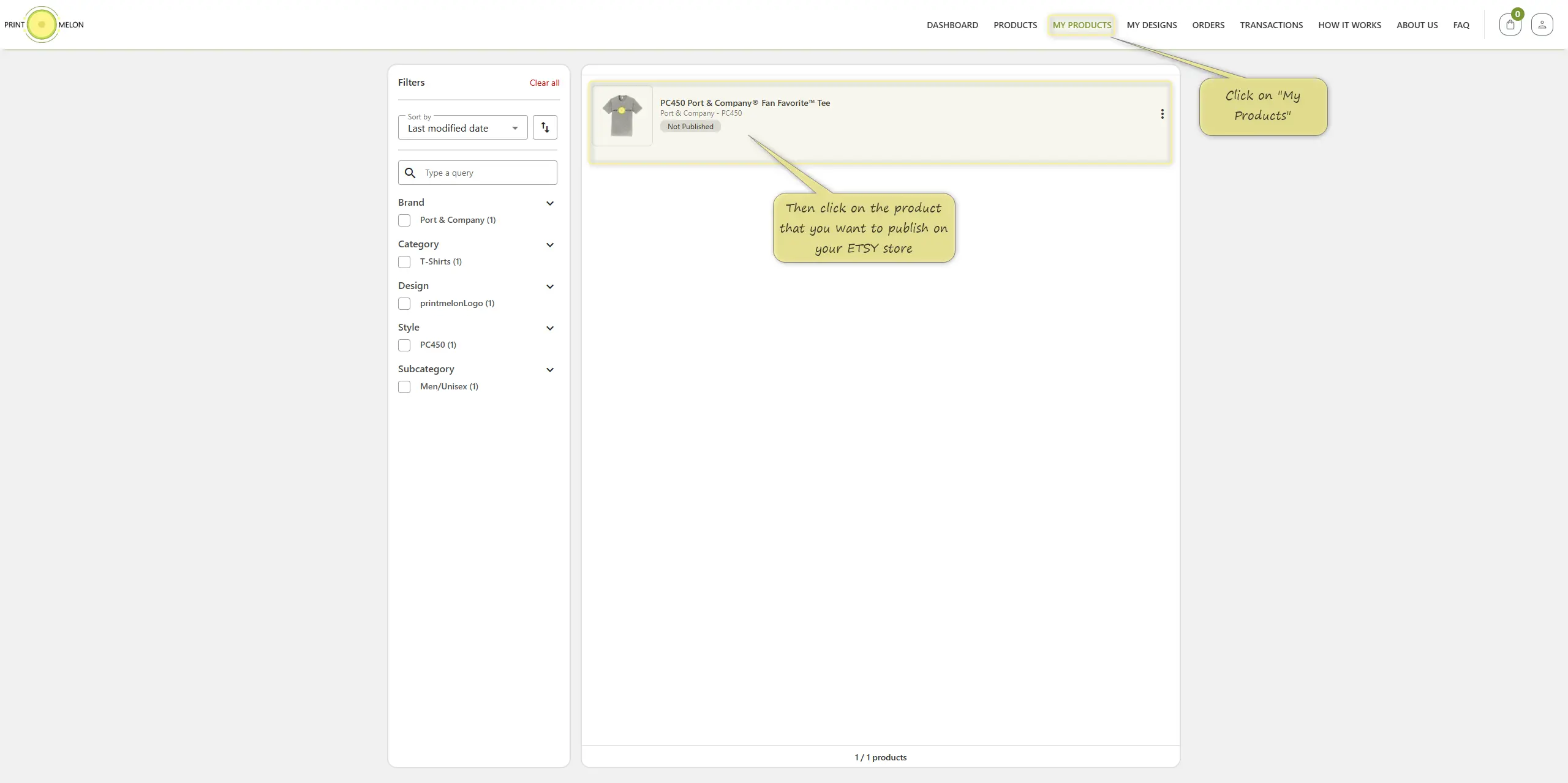
My Products screen and product selection
Step
2
Create a publish profile
On the product page, click Create Publish Profile and choose Etsy from the dropdown
• This creates a listing profile specifically for Etsy.
• You can keep Shopify and Etsy profiles separate.
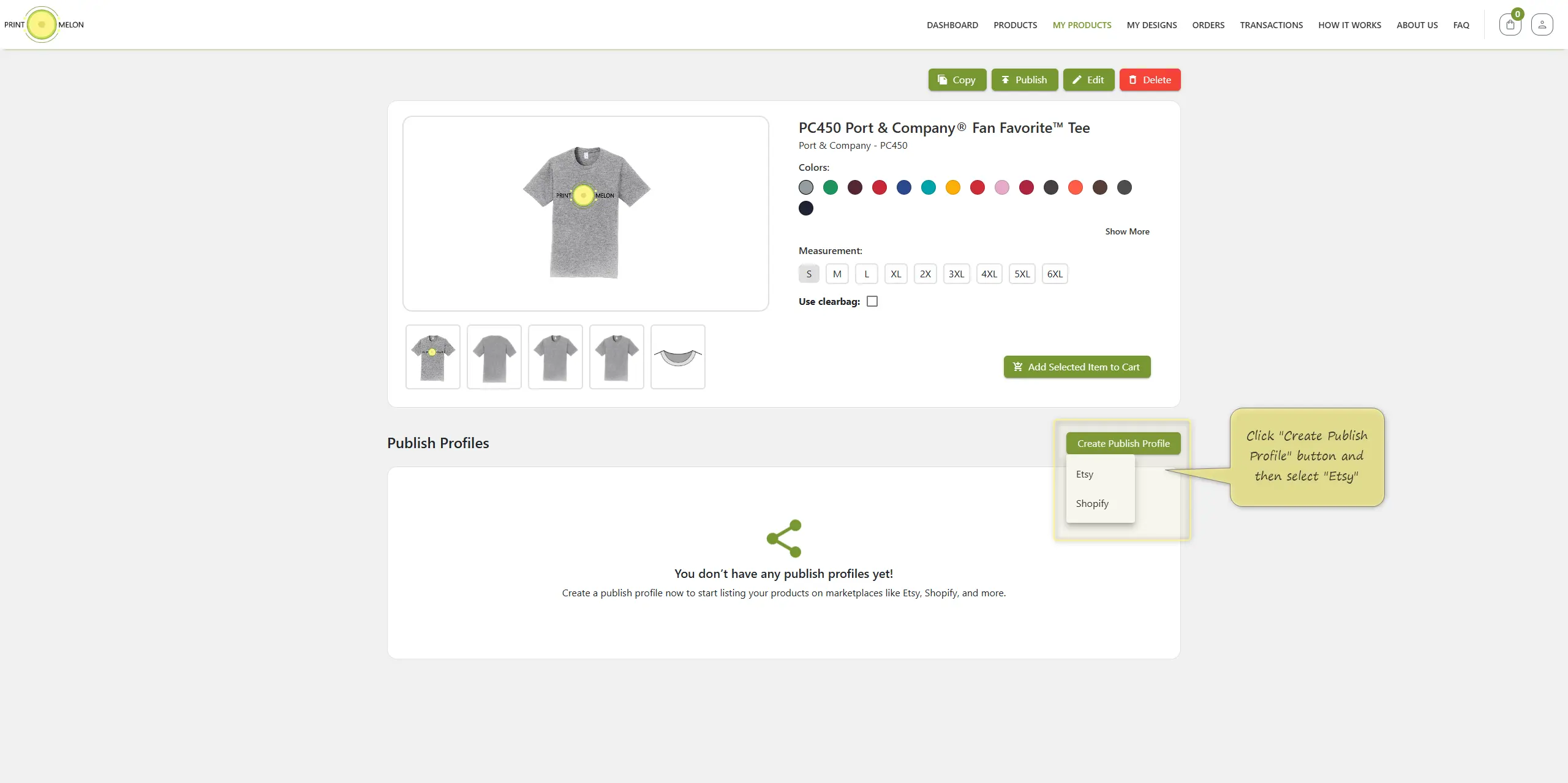
Create Publish Profile and select Etsy
Step
3
Fill in publish profile details
Complete the Etsy listing information: profile name, title, auto-filled or custom description, selling price, available sizes, available colors and Etsy category. Save when finished.
• Profile name
• Listing title
• Description
• Price
• Sizes & colors
• Etsy category
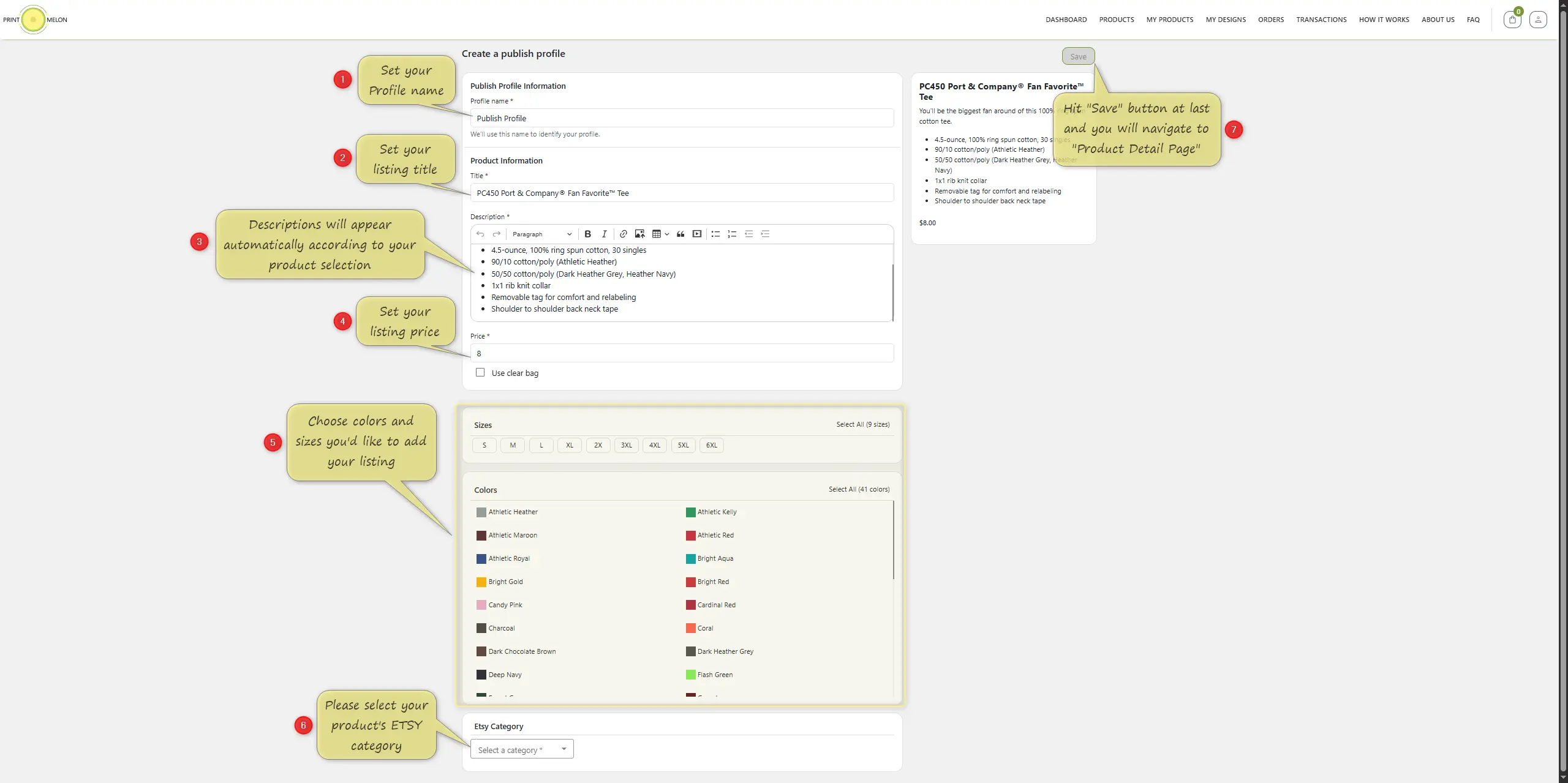
Publish profile form with listing details.
Step
4
Publish your product
After saving, return to the product page and click the Publish button at the top.
• Your saved Etsy profile appears under Publish Profiles.
• This starts the destination setup flow.
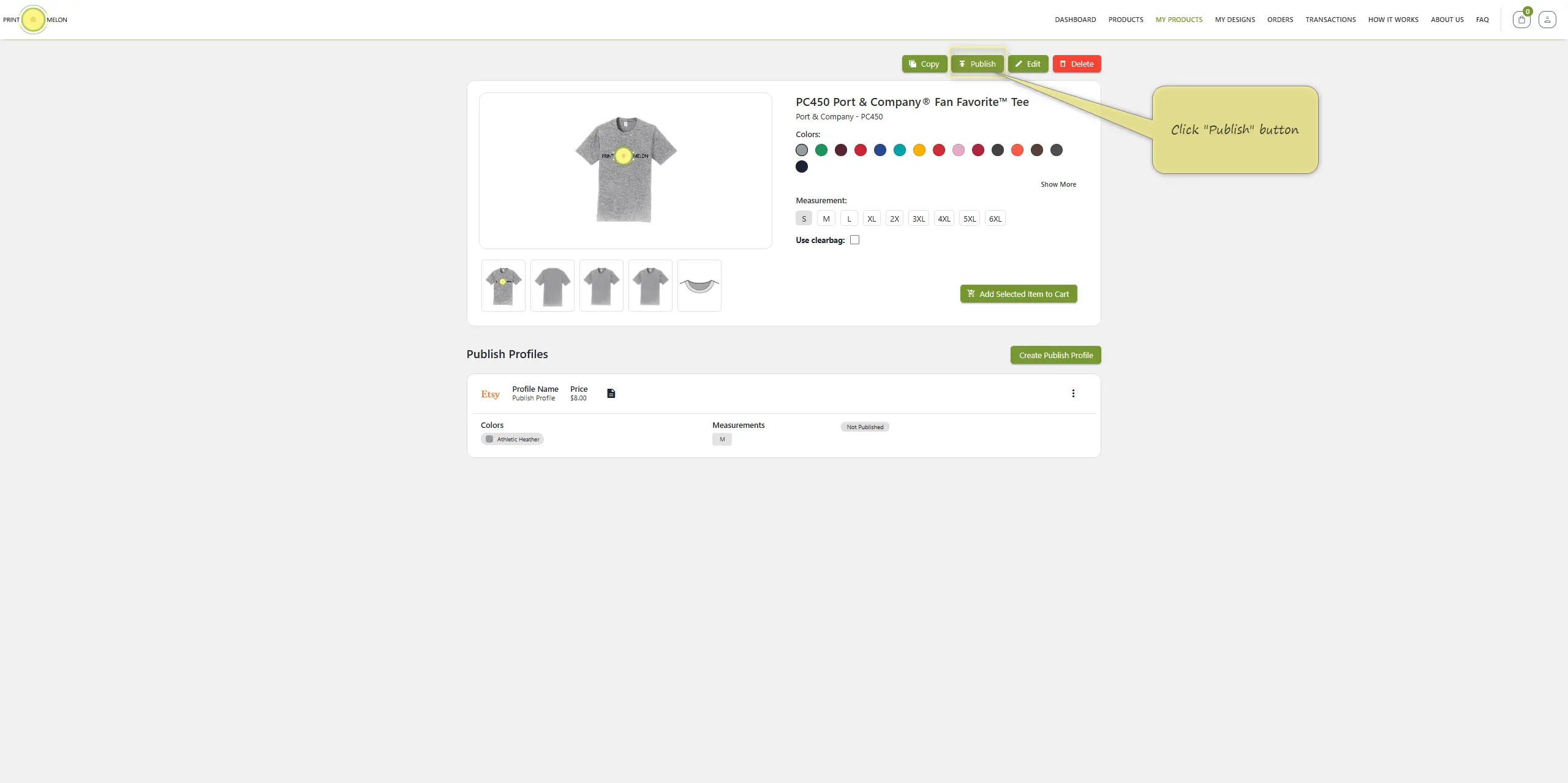
Create Publish Profile and select Etsy
Step
5
Add a destination
Click Add Destination, choose the connected Etsy shop, select the publish profile and then confirm.
• Your connected shop appears in the store dropdown.
• The profile matches product details to the Etsy destination.
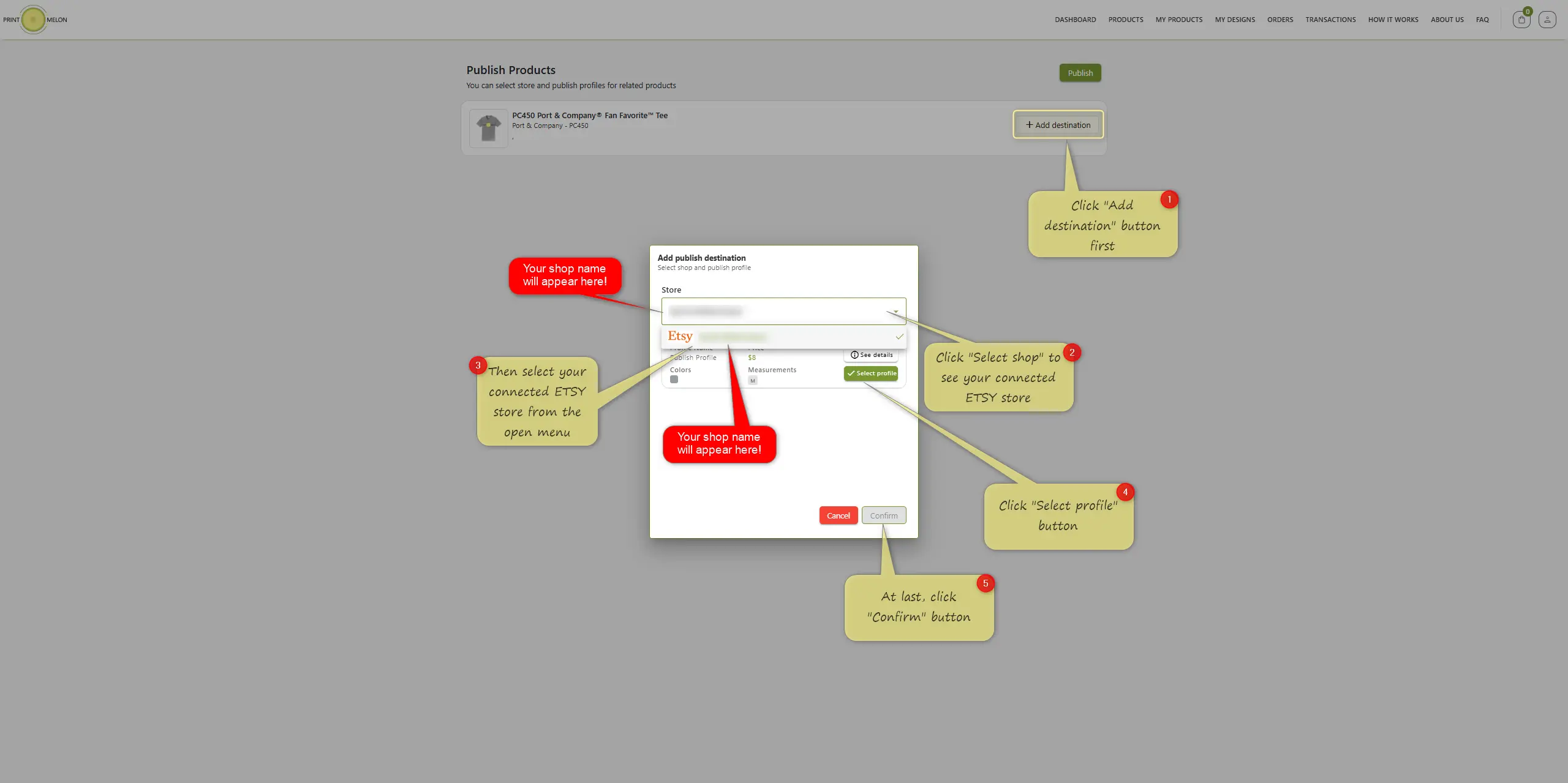
Add destination modal for Etsy.
Step
6
Final publish
Double-check that the selected shop name is correct, then click Publish again to send the product to Etsy.
Final check: store name, profile and product should all match before publishing.
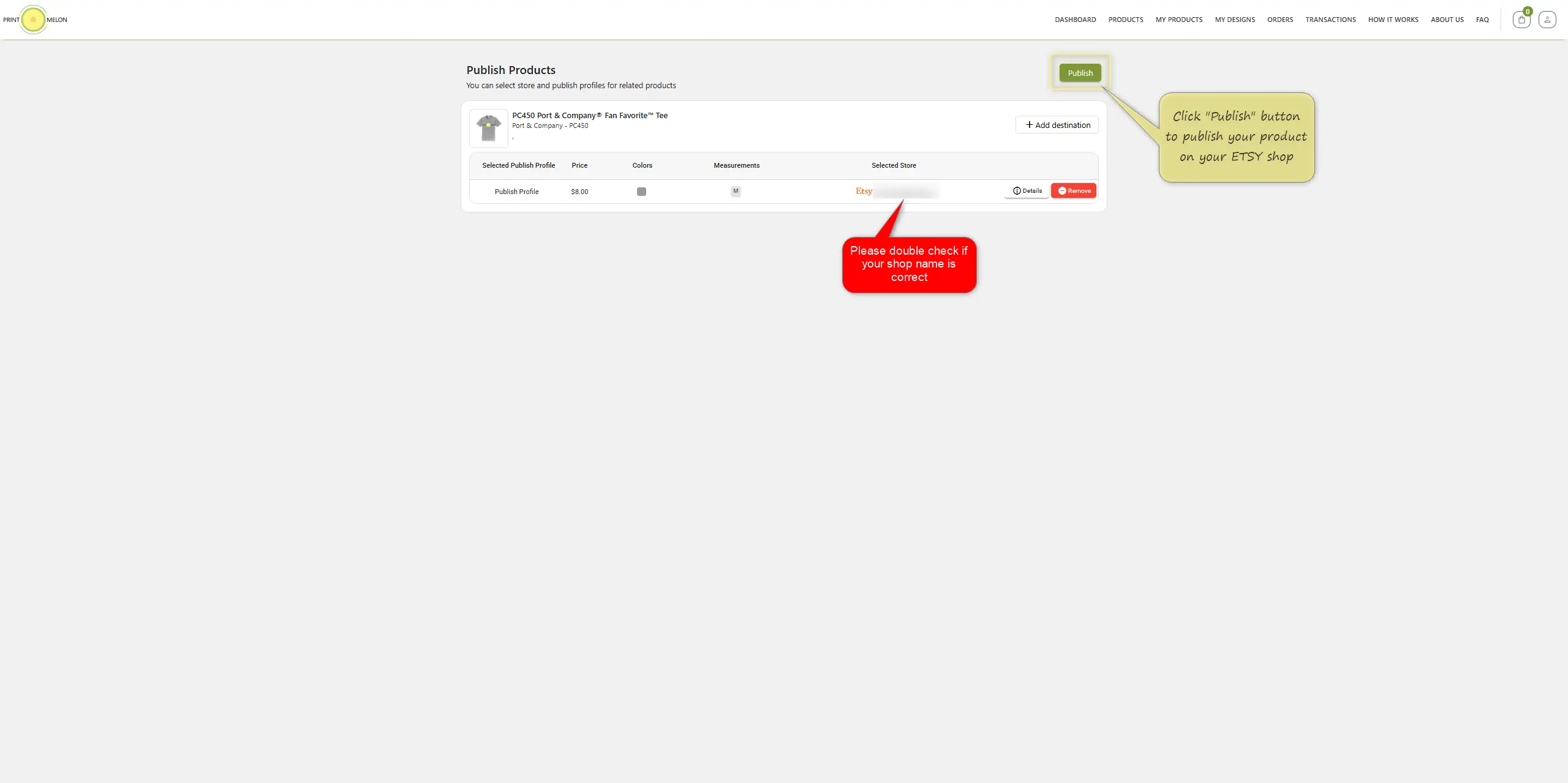
Confirm shop and publish.
Step
7
Publishing in progress
The product status changes to Publishing. Wait around one minute for the product to appear in Etsy Draft Listings. Refresh if needed.
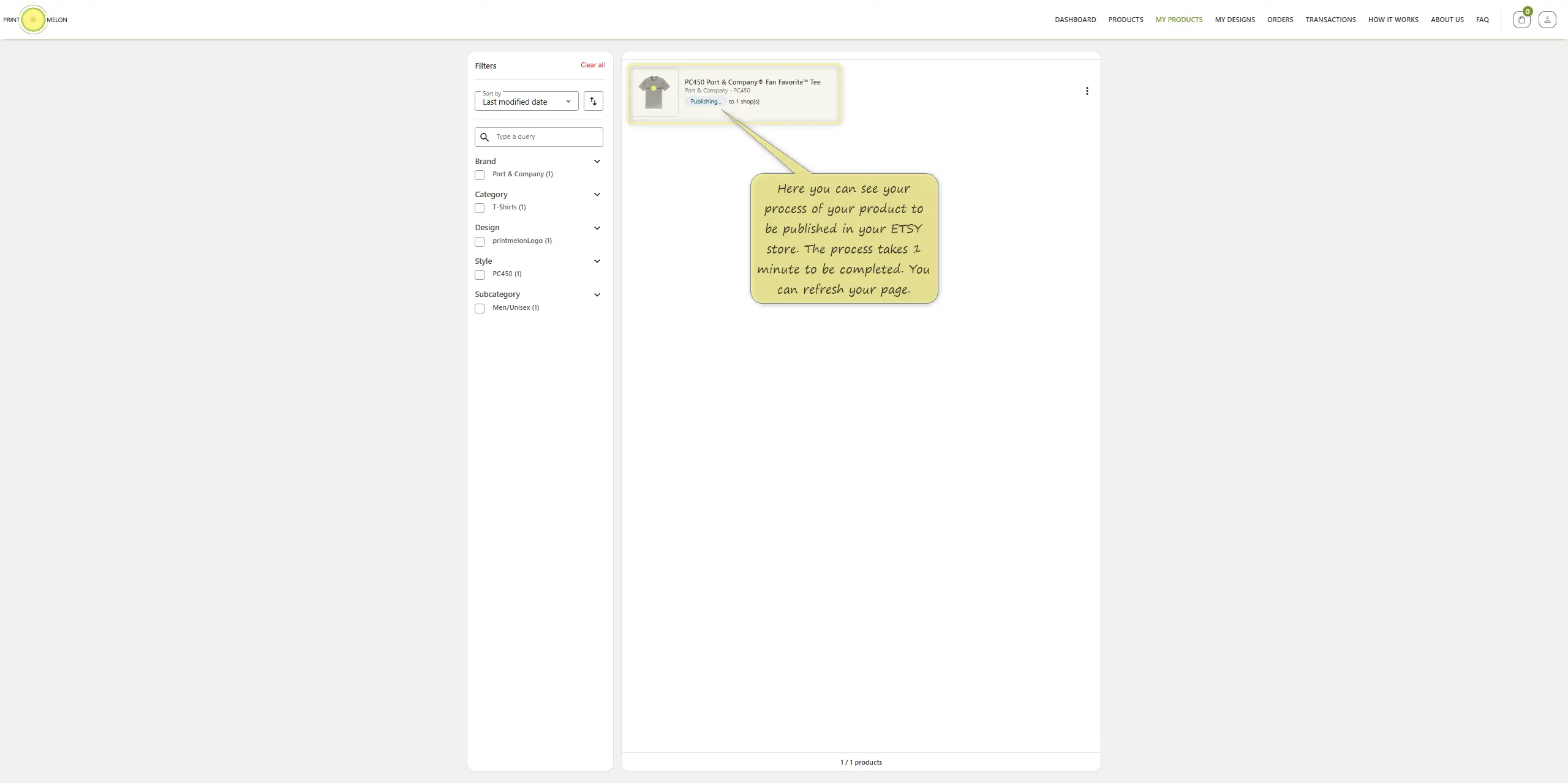
Confirm shop and publish.
Finished
8
Published to Etsy drafts
Once the product is published, it becomes available in your Etsy Draft Listings. From there, the seller can edit the listing and activate it in Etsy.
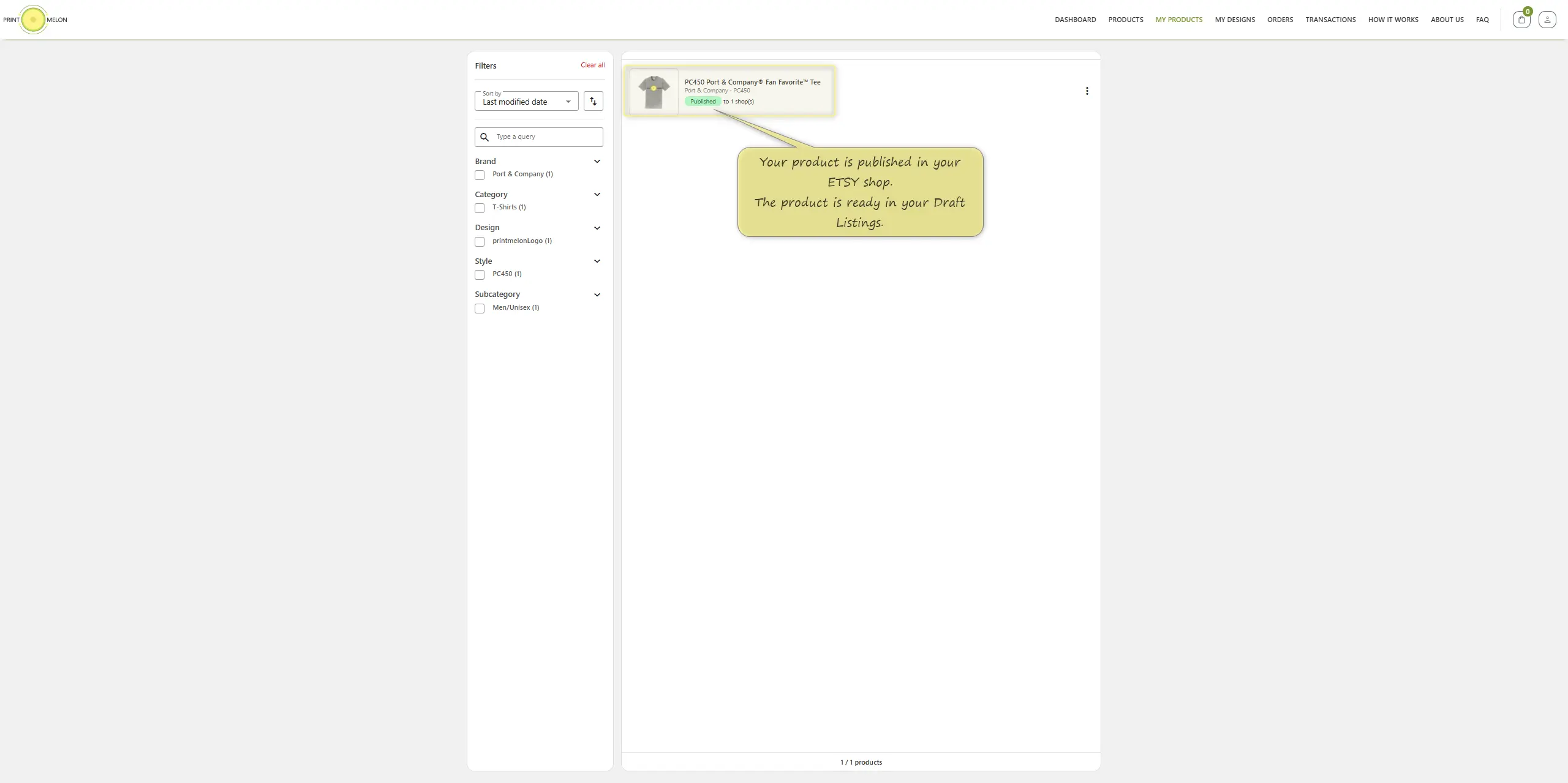
Published status and Etsy Draft Listings note.
Seller-friendly support
Turn a technical guide into a clear product page.
Visual proof
Each major step includes the original guide screenshot so users can recognize the PrintMelon interface.
Plain instructions
Every action is rewritten as short, scannable guidance with the exact buttons users need to click.
Conversion ready
The layout keeps the premium SaaS style while guiding sellers toward publishing confidently.
Frequently Asked Questions
What is Etsy print on demand?
Can I sell personalized products on Etsy with Print Melon?
Do I need inventory to start selling on Etsy?
What products can I sell on Etsy?
Is Etsy print on demand good for beginners?
Can Print Melon ship Etsy orders internationally?
Is Print Melon only for Etsy?
Test quality before launching your collection
Use sample orders to review fabric, color, print position and packaging experience before publishing a full drop.